The Sales 360 AI Suite introduces intelligent tools designed to support sales teams throughout the customer journey.
Built directly into the Sales Enquiry process, the AI Suite helps users:
- Improve customer communication
- Prioritise sales opportunities
- Increase consistency across the team
- Save time during day-to-day sales activity
- Improve customer engagement and follow-up quality
Current AI-powered features include:
- AI Buyer Intent Score
- AI Suggested Emails
AI Buyer Intent Score
What Is The Buyer Intent Score?
The AI Buyer Intent Score helps identify how engaged and purchase-ready a customer is during the sales process.
Navigator analyses customer activity and engagement to generate a live intent score directly within the Sales Enquiry screen.
The score provides a quick visual indicator showing whether a customer currently has:
- Low intent
- Medium intent
- High intent
This allows sales teams to prioritise enquiries more effectively.
Why This Matters
Not every enquiry progresses at the same pace.
The Buyer Intent Score helps your team:
- Identify engaged customers faster
- Prioritise active opportunities
- Improve response timing
- Reduce missed follow-ups
- Support better pipeline management
The feature provides additional visibility into customer engagement without relying entirely on manual judgement.
How The Score Works
The AI model analyses activity linked to the enquiry, including:
- Customer interactions
- Email activity
- Test drives
- Vehicle interest
- Quotations
- Finance discussions
- Reservations
- Sales stage progression
- Follow-up engagement
The score updates dynamically as activity changes.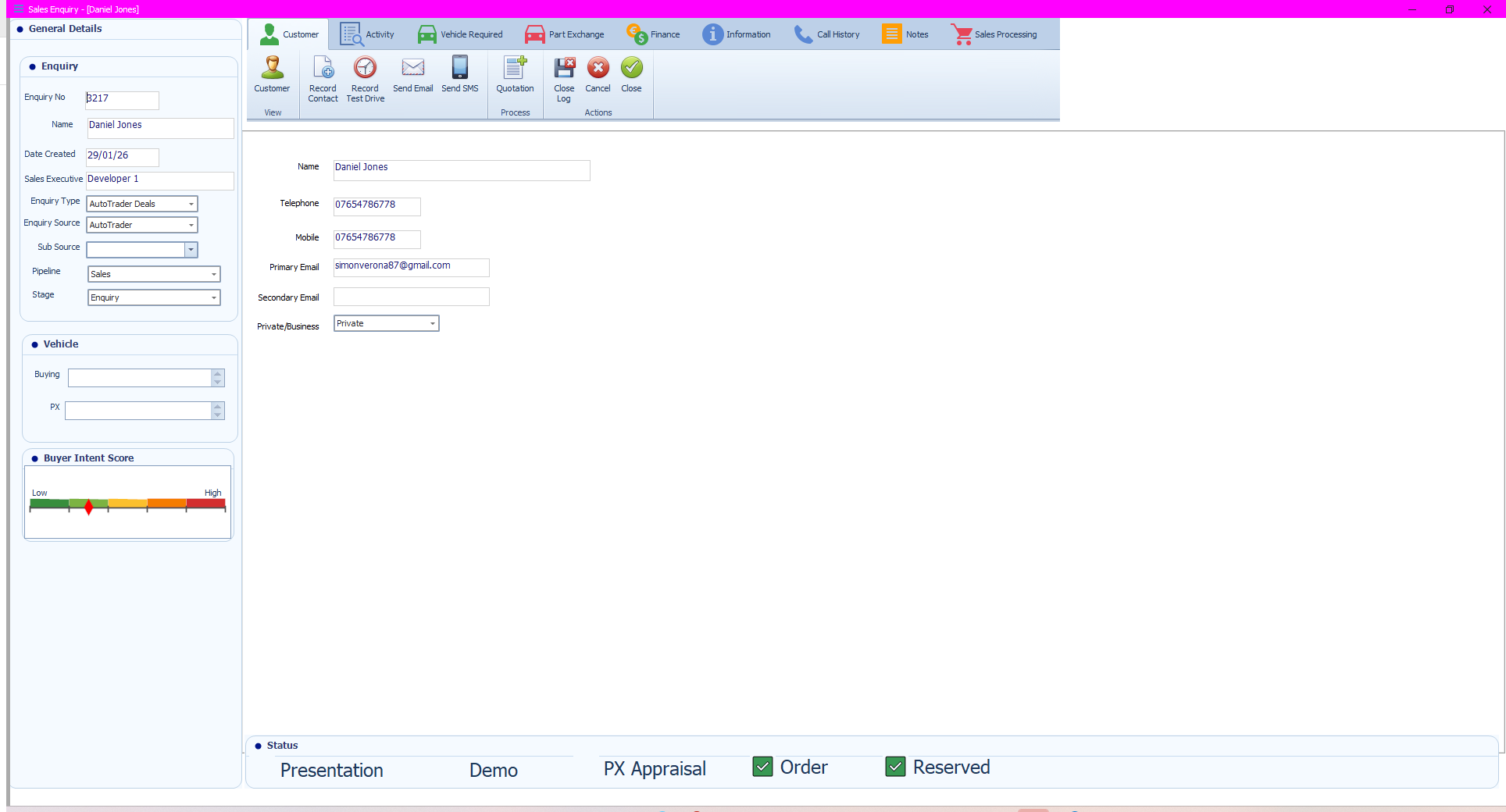
Understanding The Score
Low Intent
Indicates early-stage or limited engagement.
Examples:
- Initial enquiry only
- Limited follow-up activity
- No quotation or appointment activity
Recommended action:
- Continue nurturing
- Schedule follow-up contact
- Gather additional requirements
Medium Intent
Indicates active engagement and growing interest.
Examples:
- Multiple interactions
- Vehicle discussions
- Quotations provided
- Test drive activity
Recommended action:
- Maintain regular communication
- Progress the enquiry
- Address customer questions quickly
High Intent
Indicates a customer is likely close to making a purchasing decision.
Examples:
- Reservation activity
- Finance discussions
- Frequent communication
- Progression through sales stages
Recommended action:
- Prioritise the enquiry
- Confirm next steps quickly
- Reduce delays in the sales process
AI Suggested Emails
What Is Suggest Message?
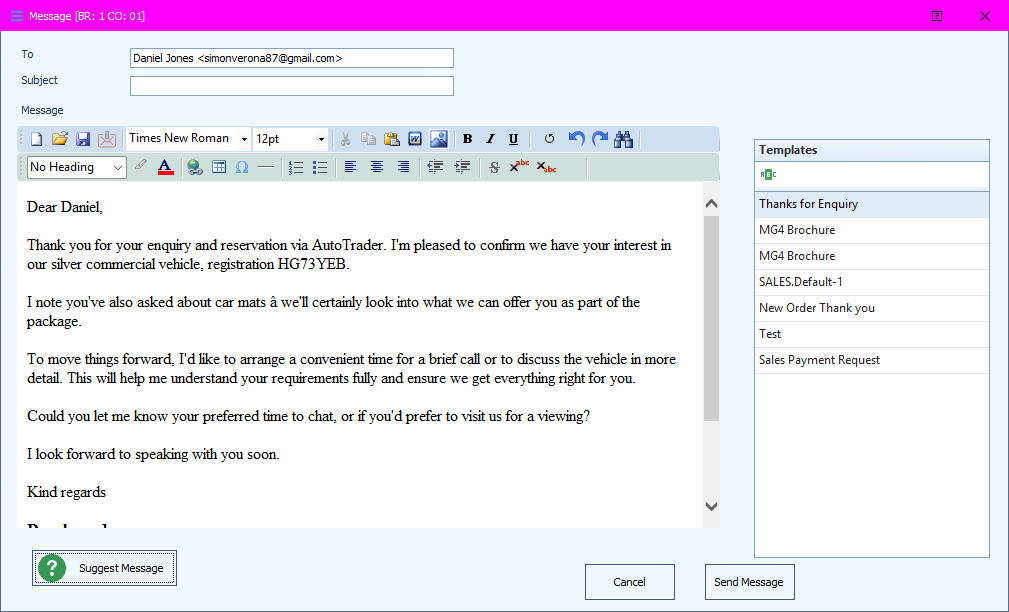
Suggest Message uses AI to generate professional customer emails directly within Sales Enquiries.
The feature creates a draft email based on the enquiry details and customer activity.
This helps sales teams create:
- Consistent communication
- Professional responses
- Informative customer updates
- Faster follow-up emails
Why This Matters
Writing customer emails manually can be time-consuming and inconsistent across users.
Suggest Message helps:
- Save time
- Improve communication standards
- Reduce spelling and grammar issues
- Provide clearer customer messaging
- Maintain professionalism across the sales team
How To Use Suggest Message
- Open the Sales Enquiry.
- Select Send Email.
- Confirm the recipient details.
- Select Suggest Message.
- Review the AI-generated draft.
- Edit the content if required.
- Add or amend the subject line.
- Select Send Message.
Important Information
AI-generated emails should always be reviewed before sending.
Check:
- Customer details
- Vehicle information
- Pricing or finance references
- Appointment details
- Contact information
- Any commitments included within the message
The AI feature is designed to assist users, not replace final review and approval.
Best Practice Recommendations
To improve AI accuracy and effectiveness:
- Keep enquiry records updated
- Log customer activity consistently
- Maintain accurate notes
- Update sales stages correctly
- Record appointments and follow-up actions promptly
The quality of AI output depends on the quality of information stored within the enquiry.
Benefits Of The Sales 360 AI Suite
The AI Suite helps dealerships:
- Improve customer engagement
- Increase sales process efficiency
- Standardise communication quality
- Prioritise high-value opportunities
- Support faster response times
- Improve visibility across the sales pipeline
Additional AI-driven features will continue to expand within Sales 360 over time.
Was this article helpful?
That’s Great!
Thank you for your feedback
Sorry! We couldn't be helpful
Thank you for your feedback
Feedback sent
We appreciate your effort and will try to fix the article