Navigator allows you to control how far in advance the Next Service Date is calculated when completing Service jobs.
This setting can be found within:
Workshop > Service Parameters > Service Dates
How it works
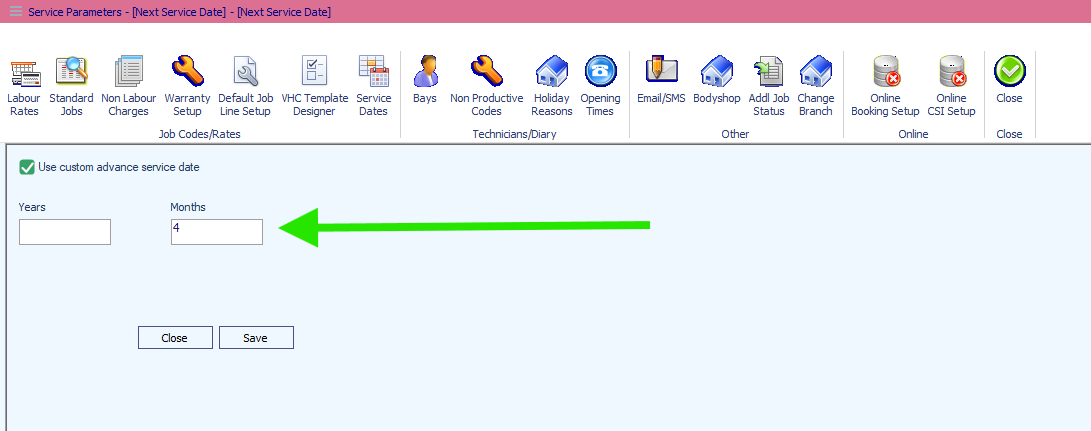
Within Service Dates, you can enter the required period using the Years and Months fields.
For example, if you enter:
Months: 4
and save the parameters, any applicable Service jobs created going forward will have their next service date calculated for 4 months later.
You can use a combination of years and months if required, depending on your dealership's servicing schedule.
Setting the Next Service Date
- Go to Workshop > Service Parameters.
- Select Service Dates.
- Tick Use custom advance service date.
- Enter the required number of Years and/or Months.
- Click Save.
The new setting will then be used when calculating the next service date on future Service jobs.
Example: Setting the Months field to 4 means that a service completed on 1 September would calculate the next service date as 1 January.
Was this article helpful?
That’s Great!
Thank you for your feedback
Sorry! We couldn't be helpful
Thank you for your feedback
Feedback sent
We appreciate your effort and will try to fix the article